Local-first music player for Windows Your tracks,
finally understood.
MUSJC works out the BPM and key of every track in your library in the background, draws each song's waveform when you play it, and hands you a real EQ to shape what you hear. No cloud library, no account, no subscription.
Your library lives on your machine — not someone else's server.
Free to use. No tiers, no trial that expires, no upsell.
Built in C++ for Windows — no Electron, no browser engine inside.
BPM & key detection It listens before you do.
Most players never work out a track's tempo or key for you. MUSJC analyses what's actually in your library.
BPM Detection
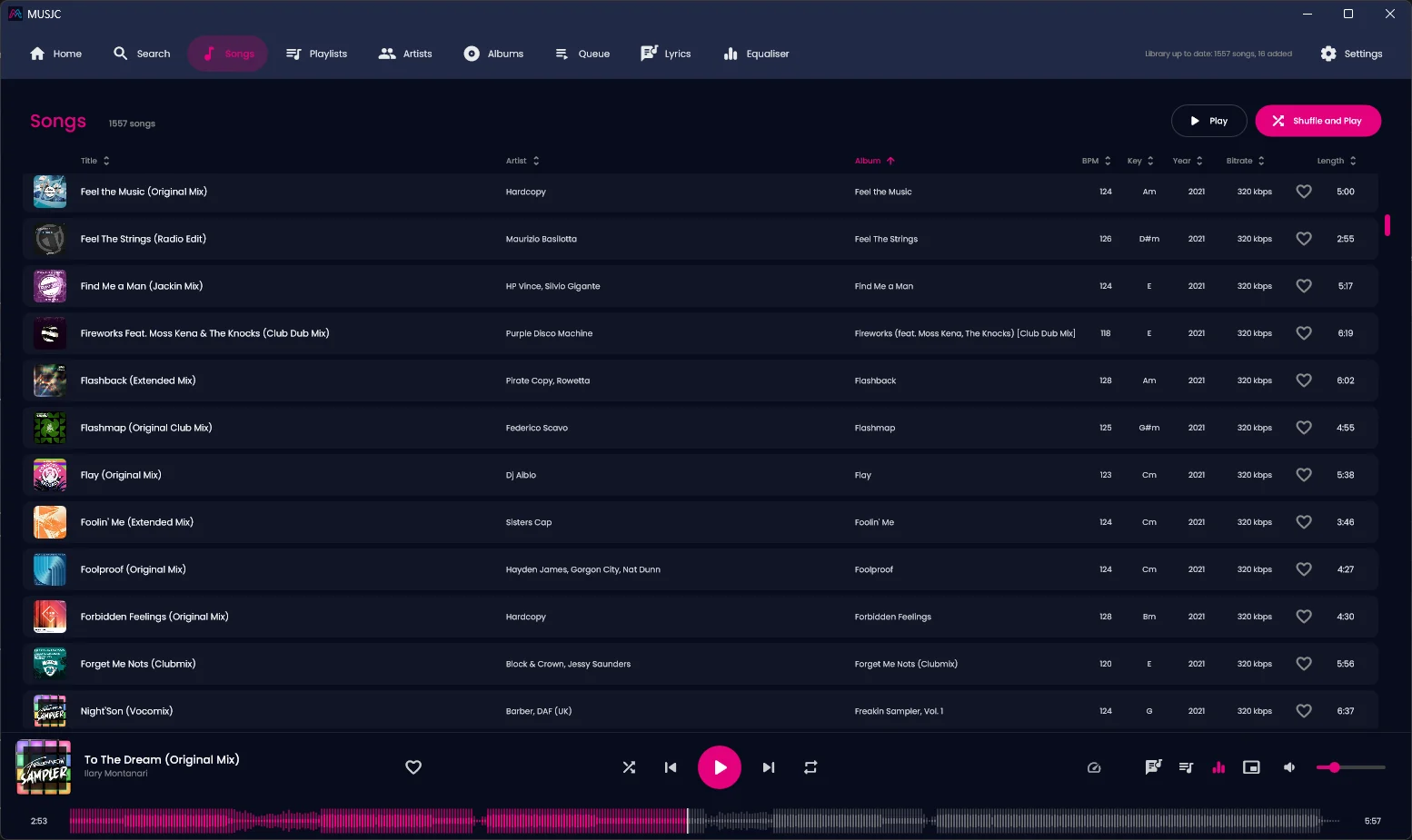
Automatic BPM detection for every track in your library — drop a folder of 200 reference tracks onto MUSJC and it works out the tempo of each one, no tapping along required. Tempos are read in the 88–180 range, so drum & bass reads around 174, not 87.
Key Detection
DETECTED
Automatic key detection — the root and major or minor, for every track, read from the middle of the song. A quick guide to what you're working with before it's in a session.
Background Library Analysis
Your whole library gets analysed in the background — the song you're playing goes first — with a count of songs analysed on the Settings page. Results are kept, so a song is only analysed again if its file changes, or when you pick Analyse BPM & key from its right-click menu.
10-Band Graphic EQ
32 Hz to 16 kHz across ten bands, ±12 dB each, with 30 presets and a live response curve — you hear every move as you make it, one click from the player bar, not buried in a menu.
Waveform Seek Bar
See the whole track's shape, with the played part lit up as it goes — click or drag anywhere to seek, and hover to see the time. It's in the main player bar, and in the mini player too, right under the artwork.
Pitch Control with Keylock
Speed a track up or slow it down by up to 50% without dragging the pitch along with it — keylock holds the track's original pitch, so it stays in the key it was recorded in. Turn keylock off when you want the natural, turntable-style pitch shift instead.
Why MUSJC "Play/pause" was never the whole job.
Spotify, Apple Music, VLC, foobar2000 — they stream someone else's catalogue or sort your files by their tags. Spotify shows key and BPM only when a Premium user turns on Mix for one of their own playlists; the others show what's already in your tags at best, or need an add-on. MUSJC estimates both for every track in your library, and puts them right in the song list.
| Feature | Mainstream players | MUSJC |
|---|---|---|
| Tempo (BPM) | Only from tags, add-ons or Spotify Premium’s Mix feature | Estimated automatically for every track with a beat |
| Musical key | Rarely, or via add-ons | Major/minor key, every track |
| Equaliser | Common, often 10 bands or more | 10-band graphic, 30 presets, live curve |
| Waveform | Rarely, or via add-ons | Whole-track, click-to-seek, mini player too |
| Library model | Streamed, or sorted by tags alone | Analysed and organised |
| Account required | Streaming apps, yes | No — local-first |
| Subscription | Only for premium streaming | Never |
Built for producers, DJs, and anyone who thinks about music in more than play and pause.
CD ripping · FLAC or AAC Your CD shelf, into your library.
Put a CD in and open Import CD: MUSJC names it, then rips it and files it with the rest of your music, as lossless FLAC or smaller AAC, with the tags (and the cover, when there is one) inside each file. No separate ripping program, and no account.
It knows what's on the disc
MUSJC looks the CD up on MusicBrainz by its exact track layout, and fetches the cover from the Cover Art Archive. Discs burned with their own names (CD-Text) are read too. Your own unreleased CDs won't be listed anywhere, so type the names in once and they're written into every file.
Every bit, or a smaller file
FLAC keeps every bit the drive reads. AAC at 192 kbps takes about a quarter of the space. When the drive reports a patch it can't read, MUSJC retries it a sector at a time, and if it still can't be read, tells you which track and how much. (Some drives quietly smooth over a scratch instead of reporting it.)
Straight into your library
Each track is saved as Album artist\Album\01 Title, tagged, and added to your library with the rest of your music, ready for BPM and key analysis. Import a whole disc or just the tracks you want.
Needs a CD or DVD drive; a USB one works. Importing reads the disc at whatever speed the drive manages, usually several times faster than playing it. Ripping CDs with MUSJC, step by step →
Everything else A proper player underneath it all.
The analysis is the headline — but MUSJC is still, first, a music player. It's native, with no browser engine inside, it's organised, and it stays out of your way.
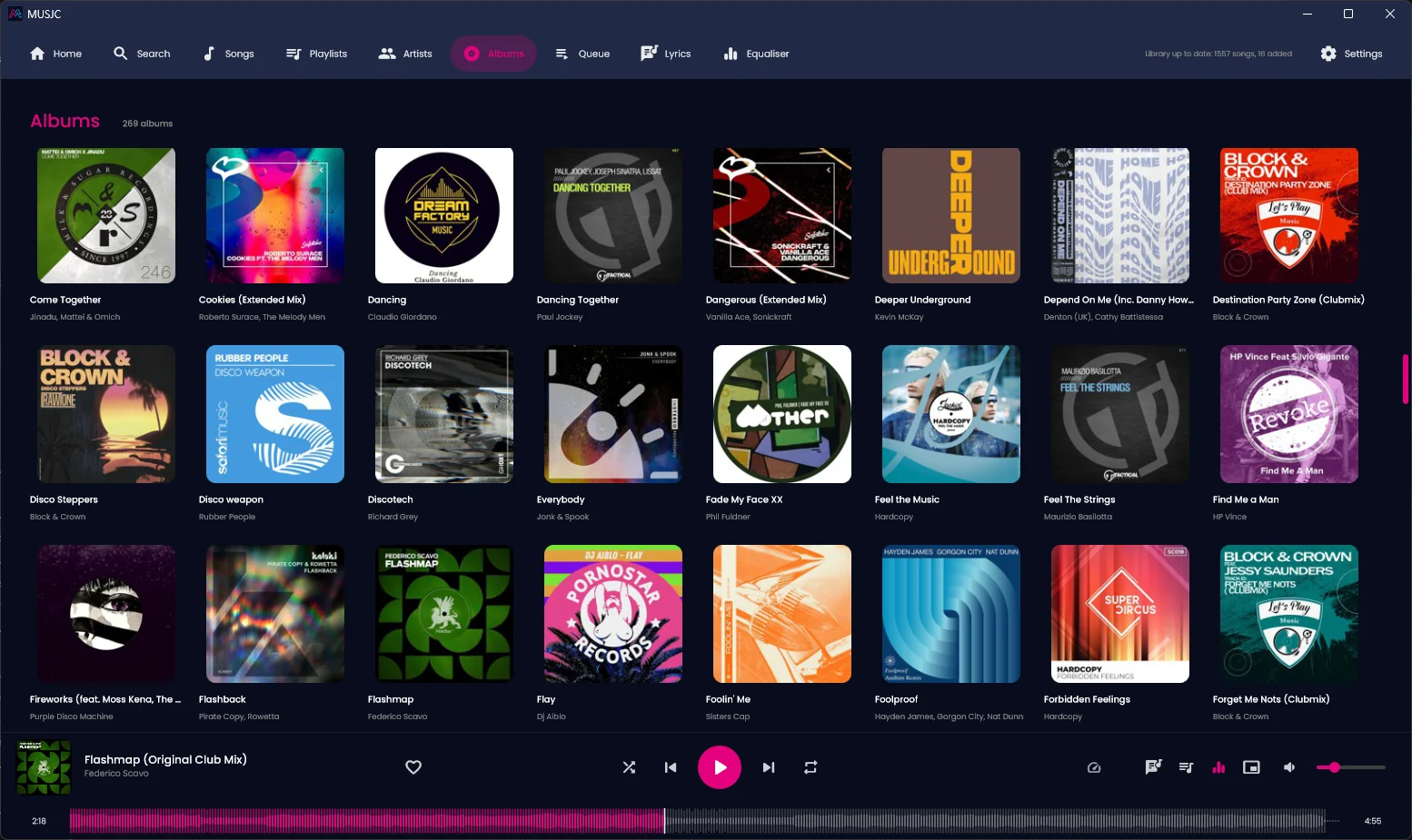
Playback
- Waveform seek bar: click or drag to seek, hover to see the time
- Compact mini player, with an always-on-top option
- Speed control up to ±50%, with keylock or turntable-style pitch
- Drag and drop: drop songs to play them, or a folder to add it to your library
- Lyrics, synced where available, from .lrc files, the song's own tags or LRCLIB
- Plays MP3, FLAC, WAV, AIFF, OGG, M4A/AAC/ALAC and WMA
Library
- Search as you type across titles, artists, albums, genres and keys
- Playlists, favourites, artists, albums and a play queue
- Sort your songs by title, artist, album, BPM, key, year or length
- Play history and play counts that ignore skips
- Tag editor that writes tags and cover art back into your files
- Finds missing covers online, or set your own cover on any songs
- Rips audio CDs to FLAC or AAC, named from MusicBrainz or the disc's own CD-Text
- Import M3U playlists of songs in your library, and export your own as M3U files
Look & Feel
- Sleek dark theme with a pink accent
- Light theme too, or follow Windows' light/dark setting
- Keyboard shortcuts for playback, seeking, volume and search
- Picks up where you left off: queue, position and settings
System Integration
- Runs quietly in the system tray — closing the window keeps it playing, with play controls and a proper Exit in the tray menu
- Keyboard media keys work even when it's hidden in the tray
- Native Windows title bar that follows the app's theme
- Choice of audio output device and buffer size
- Optional Last.fm scrobbling, with your own API key
Get MUSJC Free. Local. Yours.
No account to create, no card to enter. One download, for Windows.
Windows
Windows 11, 64-bit (x64). One self-contained file — no installer and no runtimes to install. Windows 10 hasn’t been tested yet.
This is the new native MUSJC. It keeps its own library, separate from the earlier version, so add your music folders on first run. As a new app, Windows SmartScreen may ask you to confirm the first time you open it (More info → Run anyway). On Windows N editions, M4A, AAC, ALAC and WMA files also need Microsoft’s Media Feature Pack.